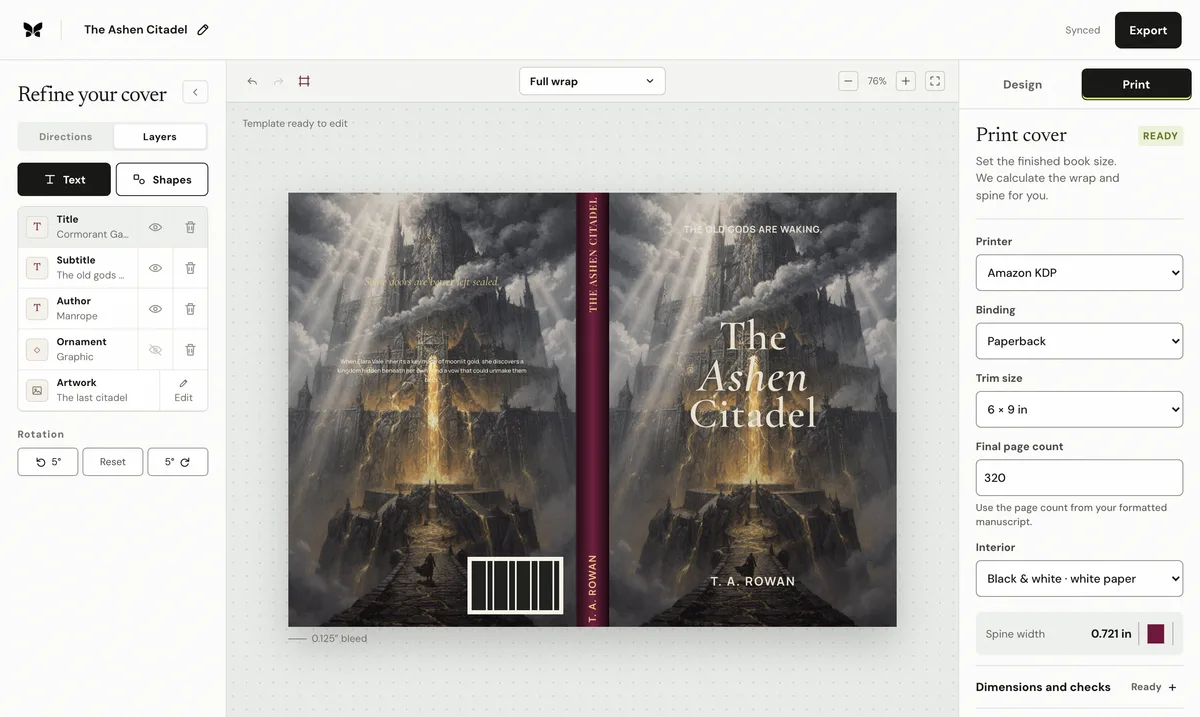
The cross-platform rule that prevents most cover failures
Lock the interior first. Binding, trim, paper, reading direction, and the final formatted page count determine the cover sheet. A late change to margins or type can shift pagination, which moves both spine folds. Generate a new template and export after every production-input change; never stretch the old PDF until its outside dimensions appear to match.
What every complete paperback cover contains
For a left-to-right book, the integrated sheet runs back cover, spine, then front cover. Background artwork reaches through the outside bleed; the title, blurb, faces, publisher mark, and barcode remain inside their safe areas. The submitted PDF excludes crop marks, template lines, passwords, and surrounding white space. Effective image resolution is judged after cropping at the final physical size.
Amazon KDP cover workflow
Start with: Binding, trim, ink/paper, reading direction, and final page count. Production authority: KDP cover calculator and generated title setup. One single-page PDF: back, spine, front. 0.125 in on every outside paperback edge; published paper multipliers; text only above 79 pages.
Coverfairy scope: Direct paperback and case-laminate calculation plus preflight. Keep the source design editable and generate a printer-specific export rather than resizing a PDF made for another network.
IngramSpark cover workflow
Start with: Binding, trim, interior color, paper, final page count, and ISBN. Production authority: Official title-specific template. Separate cover PDF built on the official template. Follow the generated template; paperback is commonly 0.125 in outside; use the exact template width; text from 48 pages.
Coverfairy scope: Paperback export uses the exact official spine width supplied by the author. Keep the source design editable and generate a printer-specific export rather than resizing a PDF made for another network.
Lulu cover workflow
Start with: Product, size, binding, paper, page count, and distribution route. Production authority: Custom template from Lulu's project creator. One integrated single-page PDF: back, spine, front. 0.125 in; no trim, bleed, or margin lines in the PDF; use lulu's template; distribution omits text below 100 pages.
Coverfairy scope: Paperback export uses the exact official template spine width supplied by the author. Keep the source design editable and generate a printer-specific export rather than resizing a PDF made for another network.
Barnes & Noble Press cover workflow
Start with: Format, trim, cover type, paper, and final interior. Production authority: B&N Press title-specific cover template. Cover-only PDF without template lines or white dead space. Follow the current generated template; use the exact width shown on that template.
Coverfairy scope: Paperback export uses the exact official template spine width supplied by the author. Keep the source design editable and generate a printer-specific export rather than resizing a PDF made for another network.
Why the official template always wins
Public formulas are useful planning tools, but paper stocks, bindings, and manufacturing systems change. A title-specific template captures the selected service and edition at the moment of production. Overlay it on the exported PDF, confirm the page size and folds, inspect the bleed and barcode zones, and order a physical proof before approving distribution.
Primary platform sources
- Amazon KDP paperback cover setup
- Amazon KDP cover calculator
- IngramSpark File Creation Guide
- IngramSpark cover template generator
- Lulu custom cover upload requirements
- Lulu Global Distribution requirements
- Barnes & Noble Press cover template generator
- Barnes & Noble Press cover-template FAQ
Coverfairy is independent and is not affiliated with Amazon KDP, IngramSpark, Lulu, or Barnes & Noble Press. Platform documentation and generated templates take precedence over this comparison.