Free ISBN barcode generator for books
Convert an ISBN to the EAN-13 barcode for the back of your book. Checks the ISBN, accepts ISBN-10 or ISBN-13, and downloads a sharp SVG.
Create the barcode for your print cover
Enter a valid 13-digit ISBN. Hyphens and spaces are ignored.
Your ISBN will carry into print setup. Creating a cover requires a free account; publishing exports start at $6. The barcode SVG is free.
Sources: International ISBN Agency. Reviewed ; recheck the official page before production.
Quick answerAn ISBN barcode generator converts a valid ISBN-13 into the EAN-13 bars and human-readable digits used on a printed book. It does not issue an ISBN, establish publishing rights, or decide where a printer requires the barcode to be placed.
What is the difference between an ISBN and its barcode?
The ISBN is the 13-digit identifier assigned to a particular book edition and format. The EAN-13 barcode is a machine-readable rendering of that number. Hardcover, paperback, and other separately sold editions normally need their own ISBNs; confirm the rules of the agency and publishing platform responsible for your market.
How should the barcode be placed on a cover?
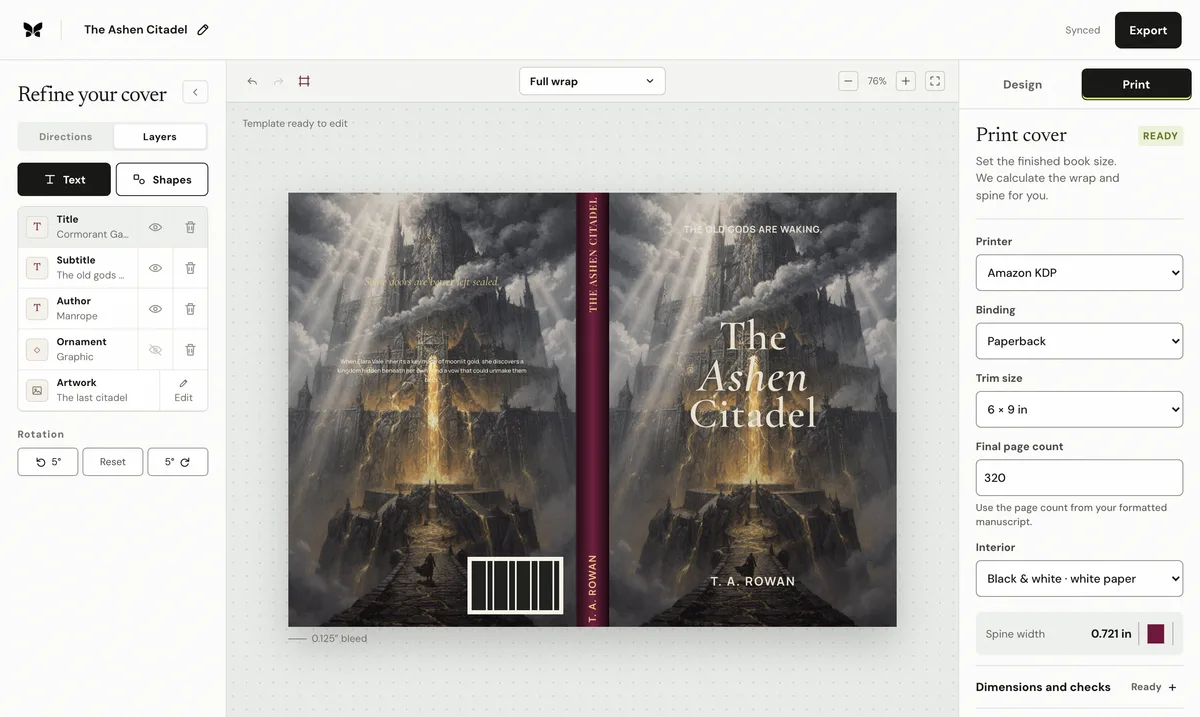
Use the printer's current template and keep the barcode inside the required back-cover area, away from the trim, fold, spine, busy artwork, and important copy. Preserve a clear light background around the bars so scanners can read the symbol reliably. Do not stretch, crop, recolor, or place decorative marks across it.
What should you verify before printing?
Check the digits against the assigned ISBN, confirm the check digit is valid, and download the scalable SVG. Test the complete print PDF at final size and review the printer proof. If the platform supplies its own barcode, follow that workflow instead of adding a duplicate. Keep the final SVG with the edition's production records.
Frequently asked questions
Does this tool assign an ISBN?
No. It validates an ISBN-13 you already have and draws its EAN-13 barcode.
Can I move the barcode on a print cover?
Use the current printer template and keep the barcode inside its required back-cover area.
What does the SVG contain?
The download contains the bars and human-readable digits as a scalable vector graphic.