

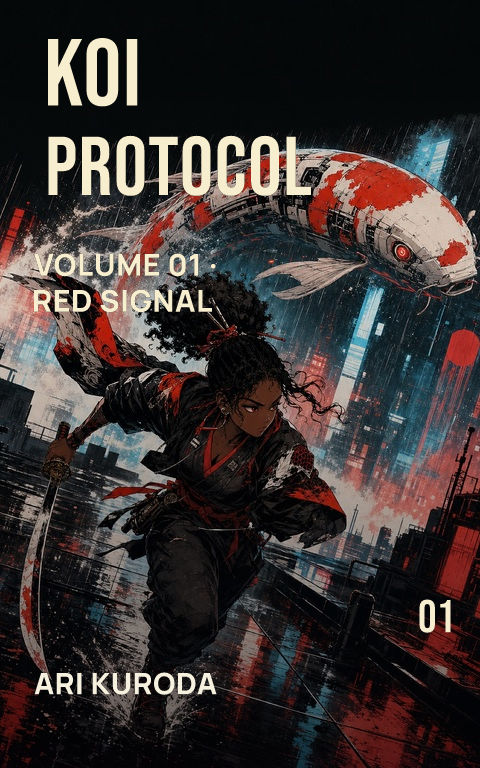
An AI book cover generator can accelerate visual exploration, but the generated picture is only one layer of a publishable cover. A dependable workflow separates artwork from typography, keeps a source record, checks unwanted details, and rebuilds the approved direction for each required format.
How do you brief an AI book cover generator?
Describe the subject, setting, viewpoint, composition, light, palette, mood, and the empty space needed for type. Include what should not appear, especially lettering, logos, watermarks, extra figures, or genre cues that contradict the book. Ask for text-free artwork. Generated words are unreliable and prevent later spelling, hierarchy, translation, and series changes.
How many directions should you generate?
Start with a few meaningfully different compositions rather than dozens of nearly identical pictures. Compare subject distance, title space, emotional tone, and thumbnail recognition. Choose a direction before refining local details. More output is not automatically more choice when every image repeats the same camera angle and visual hierarchy.
What records should you keep?
Record the provider, date, prompt version, task or asset identifier where available, source images, selected output, and subsequent edits. Retain the commercial-use terms that applied to the account and generation. Inspect the image for trademarks, signatures, implausible anatomy, repeated texture, unintended text, and suspicious resemblance before treating it as approved artwork.
How does generated art become a book cover?
Place the approved image in an editable layout and create the title, subtitle, series line, and author name as real typography. Test the result at retailer-thumbnail size, then adapt it to the actual ebook, paperback, hardcover, audiobook, and launch specifications. Each crop needs review; a strong portrait front may not contain enough horizontal information for a complete print wrap.
Check what KDP, the Authors Guild, and awards require for AI covers
By Coverfairy Editorial · Published · Updated


