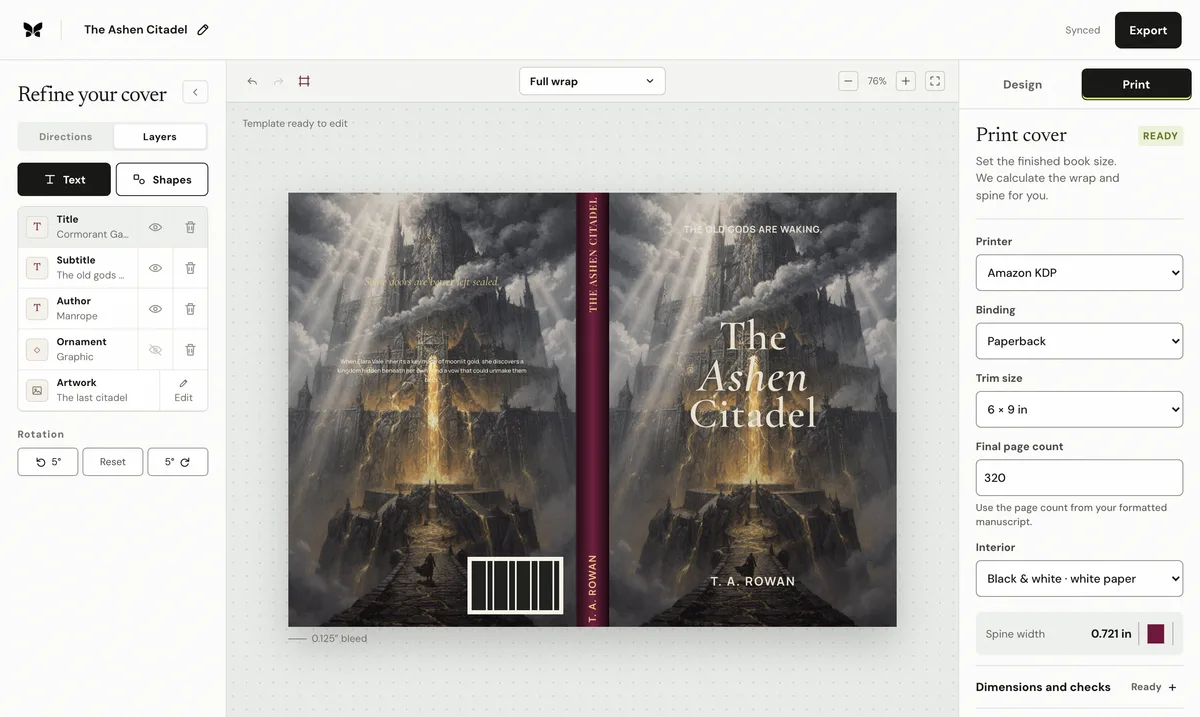
The cover artwork stops at the trim line or carries printer marks, so KDP flagged the bleed. The fix is to extend the background 0.125 inches past every outside edge and export a clean sheet.
My KDP cover has missing or wrong bleedThe cover artwork stops at the trim line or carries printer marks, so KDP flagged the bleed. The fix is to extend the background 0.125 inches past every outside edge and export a clean sheet.
Why this happens
KDP paperback covers need the background to continue 0.125 inches beyond the top, bottom, and outside trim edges so trimming variance never exposes a white sliver. A cover built at exact trim size, padded with white, or exported with crop marks fails the bleed requirement even when the design itself is sound.
The complete manual fix
Check the exported PDF page size: it must be the trim dimensions plus 0.25 inches in each direction across the full wrap, not the bare trim size.
Extend the background artwork or color through the outer 0.125 inches on every outside edge. Do not fill the bleed with white or a border.
Keep every word, face, and important detail at least 0.125 inches inside the trim line, and leave the barcode zone clear.
Remove crop marks, registration marks, and any margin the export tool added around the sheet.
Export the corrected PDF and check the edges at high zoom: the artwork should run to the very edge of the page on all four sides.
Compare the result against KDP's current generated template before uploading again.
Keep the evidence
Save KDP's written notice, the unchanged exported file, the selected print settings, and the template used for comparison. Those records make a support case reproducible, and they are what the technical spec guarantee asks for.
Recalculate before rebuilding
Spine width0.757 in
Full cover13.007 × 9.250 in
At 300 DPI3,902 × 2,775 px
Spine textAllowed
Calculated from KDP's current paperback formula. Confirm against your printer's generated template before upload.
Templates show the bleed, trim, spine, fold zones, safe area and barcode area at full size. Put the template on a layer under your artwork, then hide it before export.
Already have a front cover?
Upload it and Coverfairy builds the spine, back cover and barcode area around it at these KDP dimensions. Preview free; download the print PDF with a pass.
JPG, PNG or WebP · up to 15 MB · no account needed
The shortcut: a rebuilt wrap with the guarantee
Enter the final trim, binding, paper, and page count in Coverfairy and the complete KDP sheet, spine, and bleed are recalculated while the artwork and typography stay editable. An active pass includes paperback and hardcover PDFs with live preflight checks.
The pass is covered by the technical spec guarantee: if KDP rejects an unchanged Coverfairy export because Coverfairy calculated the trim, bleed, spine, or sheet dimensions incorrectly, Coverfairy corrects the file or refunds the affected pass.
Coverfairy uses essential cookies to keep the site secure and remember your settings. With your permission, analytics and advertising-measurement cookies help us understand which journeys lead to sales. Personalized ads stay off.