Unexpected colour shifts often come from embedded profiles, spot colours, or mixed colour spaces. Prepare print artwork in CMYK, remove profile-dependent effects, flatten the production file, and proof the result instead of compensating blindly on screen.
Verified against current KDP guidanceKDP's current cover guidance recommends CMYK images, advises against including colour profiles, says profiles are removed before publishing, rejects spot colours for print-on-demand, and warns against mixed colour spaces.
Reviewed by Coverfairy Editorial on . Recheck the linked KDP source before production because platform rules can change.
KDP changed my cover coloursUnexpected colour shifts often come from embedded profiles, spot colours, or mixed colour spaces. Prepare print artwork in CMYK, remove profile-dependent effects, flatten the production file, and proof the result instead of compensating blindly on screen.
Why this happens
KDP automatically removes included colour profiles and warns that mixed colour spaces can produce variance. Spot colours are also incompatible with its print-on-demand process. A file can therefore look different after conversion when its appearance depended on an embedded profile, RGB and CMYK objects were mixed, or a Pantone colour was never converted.
The complete manual fix
Duplicate the editable source and identify the colour space of every placed image, fill, gradient, shadow, and effect.
Convert spot colours to CMYK and prepare print images in CMYK. Avoid mixing RGB, CMYK, and grayscale objects when one consistent print space will do.
Remove embedded profile dependencies and flatten the production artwork so transparent effects cannot convert unpredictably.
Check dark scenes for crushed detail, saturated blues and greens for gamut shifts, neutral grays for colour casts, and small light type for loss of contrast.
Export one unlocked PDF at the exact cover-sheet size, with fonts embedded and printer marks removed.
Review KDP's preview, then order a physical proof. Print-on-demand output has normal production tolerance that a monitor cannot predict exactly.
Keep the evidence
Save KDP's written notice, the unchanged exported file, the selected print settings, and the template used for comparison. Those records make a support case reproducible, and they are what the technical spec guarantee asks for.
Recalculate before rebuilding
Spine width0.757 in
Full cover13.007 × 9.250 in
At 300 DPI3,902 × 2,775 px
Spine textAllowed
Calculated from KDP's current paperback formula. Confirm against your printer's generated template before upload.
Templates show the bleed, trim, spine, fold zones, safe area and barcode area at full size. Put the template on a layer under your artwork, then hide it before export.
Already have a front cover?
Upload it and Coverfairy builds the spine, back cover and barcode area around it at these KDP dimensions. Preview free; download the print PDF with a pass.
JPG, PNG or WebP · up to 15 MB · no account needed
The shortcut: a rebuilt wrap with the guarantee
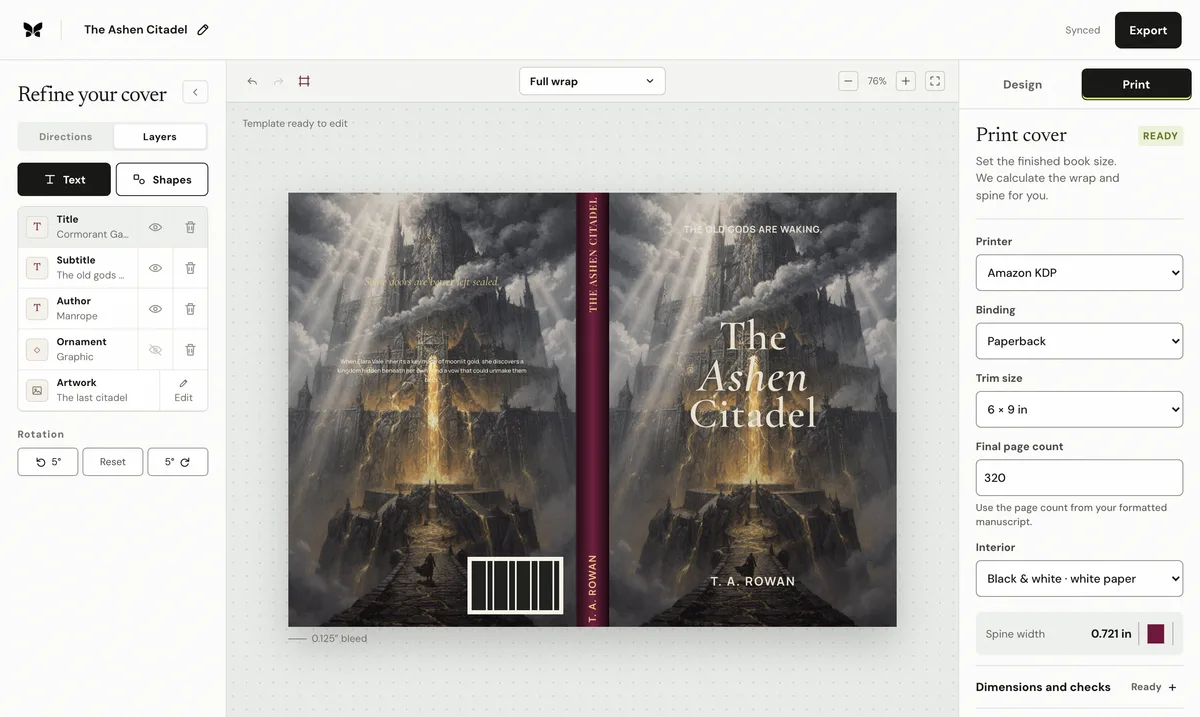
Enter the final trim, binding, paper, and page count in Coverfairy and the complete KDP sheet, spine, and bleed are recalculated while the artwork and typography stay editable. An active pass includes paperback and hardcover PDFs with live preflight checks.
The pass is covered by the technical spec guarantee: if KDP rejects an unchanged Coverfairy export because Coverfairy calculated the trim, bleed, spine, or sheet dimensions incorrectly, Coverfairy corrects the file or refunds the affected pass.
Coverfairy uses essential cookies to keep the site secure and remember your settings. With your permission, analytics and advertising-measurement cookies help us understand which journeys lead to sales. Personalized ads stay off.