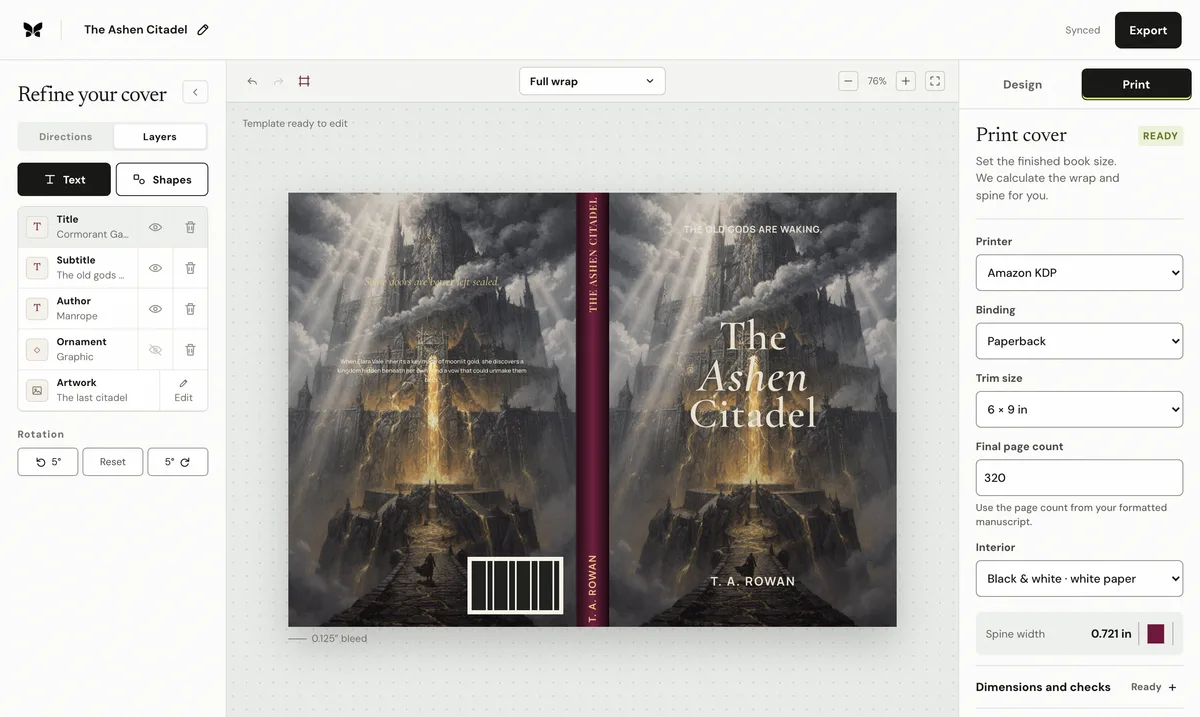
Book has fewer than 79 pages and cannot have spine text
KDP does not permit spine lettering on a paperback with 79 pages or fewer. Remove the spine text, or finish a genuinely longer interior and rebuild the cover from its new final page count.
Verified against current KDP guidanceKDP's current formatting-issues page explicitly identifies a book with fewer than 79 pages that carries spine text, and its cover guide permits spine text only above the threshold.
Reviewed by Coverfairy Editorial on . Recheck the linked KDP source before production because platform rules can change.
Book has fewer than 79 pages and cannot have spine textKDP does not permit spine lettering on a paperback with 79 pages or fewer. Remove the spine text, or finish a genuinely longer interior and rebuild the cover from its new final page count.
Why this happens
KDP uses the uploaded interior to determine the final page count. A title, author name, series mark, logo, or decorative letters placed on the spine still count as spine text. Making the type smaller does not change the page-count rule, and adding pages solely to evade it can harm the book.
The complete manual fix
Open the final interior PDF and confirm its exact page count rather than relying on a manuscript estimate.
If the PDF has 79 pages or fewer, remove every letter and logo from the spine panel. Let the background artwork or color continue across the spine.
If legitimate typesetting or matter changes take the interior to 80 pages or more, upload that finished interior before calculating the cover again.
Regenerate the KDP template after the page count changes, because the same change also alters the spine width and full sheet width.
For an eligible spine, center the lettering and leave at least 0.0625 inches of clear space on both sides.
Export a fresh one-page cover PDF and compare its folds, spine, bleed, and page size with the newly generated template.
Keep the evidence
Save KDP's written notice, the unchanged exported file, the selected print settings, and the template used for comparison. Those records make a support case reproducible, and they are what the technical spec guarantee asks for.
Recalculate before rebuilding
Spine width0.757 in
Full cover13.007 × 9.250 in
At 300 DPI3,902 × 2,775 px
Spine textAllowed
Calculated from KDP's current paperback formula. Confirm against your printer's generated template before upload.
Templates show the bleed, trim, spine, fold zones, safe area and barcode area at full size. Put the template on a layer under your artwork, then hide it before export.
Already have a front cover?
Upload it and Coverfairy builds the spine, back cover and barcode area around it at these KDP dimensions. Preview free; download the print PDF with a pass.
JPG, PNG or WebP · up to 15 MB · no account needed
The shortcut: a rebuilt wrap with the guarantee
Enter the final trim, binding, paper, and page count in Coverfairy and the complete KDP sheet, spine, and bleed are recalculated while the artwork and typography stay editable. An active pass includes paperback and hardcover PDFs with live preflight checks.
The pass is covered by the technical spec guarantee: if KDP rejects an unchanged Coverfairy export because Coverfairy calculated the trim, bleed, spine, or sheet dimensions incorrectly, Coverfairy corrects the file or refunds the affected pass.
Coverfairy uses essential cookies to keep the site secure and remember your settings. With your permission, analytics and advertising-measurement cookies help us understand which journeys lead to sales. Personalized ads stay off.