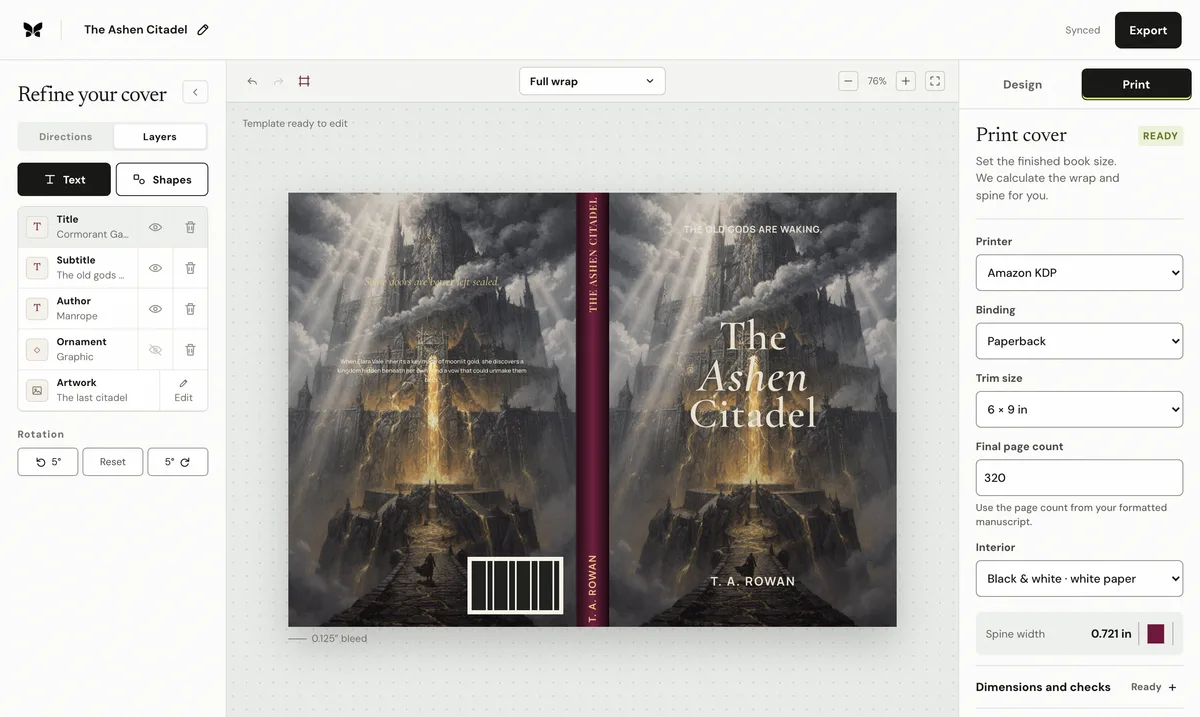
Rebuild the cover from a current IngramSpark title-specific template. Copy its exact spine width and safety lines; do not substitute a KDP paper formula or reuse an earlier edition's cover sheet.
Verified against current IngramSpark guidanceIngramSpark's current File Creation Guide says the supplied template reflects the correct spine safety area, bars spine text below 48 pages, and requires bleed elements to reach the template's bleed area while non-bleed elements remain inside safety.
Reviewed by Coverfairy Editorial on . Recheck the linked IngramSpark source before production because platform rules can change.
My IngramSpark cover has the wrong spine widthRebuild the cover from a current IngramSpark title-specific template. Copy its exact spine width and safety lines; do not substitute a KDP paper formula or reuse an earlier edition's cover sheet.
Why this happens
IngramSpark supplies production geometry for the exact binding, trim, paper, colour, and page count selected for the title. A cover built from a KDP multiplier, an estimate, or an older interior can have the wrong folds and spine even when the front panel still appears correct.
The complete manual fix
Lock the final interior and record the actual PDF page count, binding, trim, paper, and print-colour choices used by the IngramSpark title.
Generate a new official IngramSpark cover template for that exact setup and retain the PDF or native design template as the production authority.
Copy the spine width stated by the template into the cover document. Do not calculate it from KDP's paper multipliers.
Recompose the back, spine, and front against the template's safety and bleed areas. If the book is below 48 pages, remove spine text.
Keep borders and straight edges away from folds and trim, and keep all non-bleed elements inside the template's safety area.
Export the production PDF, compare it against the same official template, and upload that unchanged file with the locked interior.
Keep the evidence
Save IngramSpark's written notice, the unchanged exported file, the final interior, and the title-specific template used for comparison. Those records make a support case reproducible and protect the next edition from reusing stale geometry.
Recalculate before rebuilding
Spine width0.500 in
Paperback sheet12.750 × 9.250 in
At 300 ppi3,825 × 2,775 px
Spine textAllowed
Enter the spine shown on IngramSpark's title-specific template. This tool does not estimate it from paper type.
This is a paperback composition guide, not an upload-ready IngramSpark export. Hardcover, dust-jacket, and other binding geometry must come directly from the current official template.
Templates show the bleed, trim, spine, fold zones and safe area at full size. Keep IngramSpark's own template as the final check; it places the barcode for your title.
Already have a front cover?
Upload it and Coverfairy builds the spine, back cover and barcode area around it at these IngramSpark dimensions. Preview free; download the print PDF with a pass.
JPG, PNG or WebP · up to 15 MB · no account needed
The shortcut: rebuild from the official spine
Generate a current title-specific IngramSpark template, copy its exact spine width into Coverfairy, and rebuild the paperback sheet while the artwork and typography stay editable. The official template remains the production authority.
Coverfairy uses essential cookies to keep the site secure and remember your settings. With your permission, analytics and advertising-measurement cookies help us understand which journeys lead to sales. Personalized ads stay off.