

Begin with the physical page
Choose trim size before making judgments about line length, margins, or total pages. The same manuscript set at 5 x 8 and 6 x 9 inches creates a different number of lines, page turns, chapter starts, printing cost, and cover spine. Paper, binding, color, and whether any interior artwork bleeds also affect the production setup.
Mirrored margins create an inside gutter and an outside edge rather than copying fixed left and right values. The gutter protects the text from the binding; the outside, top, and bottom margins create the visual frame. Platform minimums are acceptance boundaries, not automatic design targets. A comfortable book can need more room than the smallest permitted value.
Build the body text as one system
Choose a text face for extended reading, not for a single attractive paragraph. Tune type size, x-height, line spacing, line length, paragraph indents, word spacing, and paper color together. A change to one variable changes the texture of every page. Dense lines with tight leading make a small page tiring; short lines with excessive leading can make a large page feel fragmented.
Define paragraph styles rather than formatting individual passages. Ordinary body text, the first paragraph after a heading, block quotations, lists, extracts, captions, and notes each need a role. Consistent roles survive revision and keep the print and ebook structures understandable.
Give each page a role
A title page, copyright page, contents, part opener, chapter opener, ordinary body page, full-page image, and intentionally blank page should not inherit identical furniture. Page roles decide whether a running head or folio appears, where the text begins vertically, and whether the next section starts on a right-hand page.
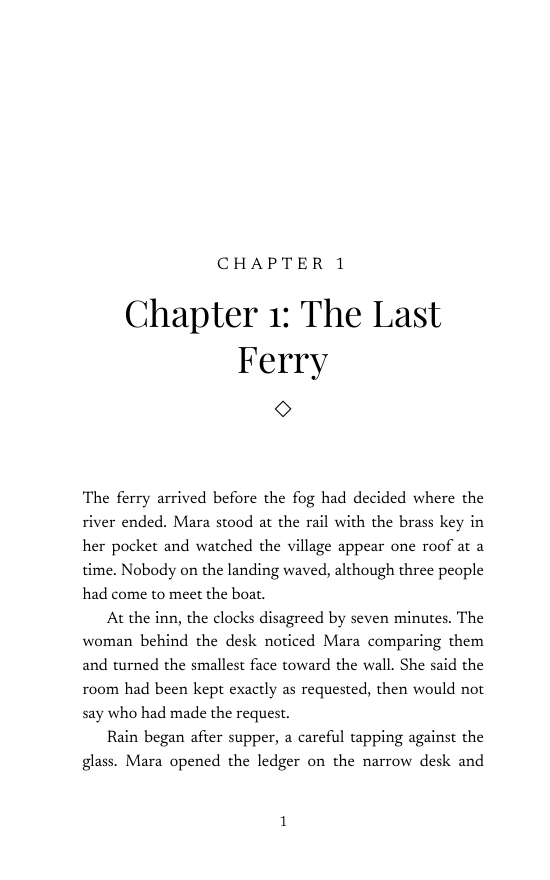
Chapter openings create rhythm. Their number, title, ornament, vertical drop, and first paragraph should feel related to the body without becoming a second cover. Running heads normally disappear on display pages. Page numbers must remain useful and consistent even when some are visually suppressed.
Design spreads, not isolated screenshots
Readers encounter a left and right page together. Compare facing text blocks, top alignment, inner space, running heads, and the distribution of short or loose pages across the spread. A page can be technically correct alone and still feel pulled toward the gutter or visually unbalanced beside its partner.
Control widows, orphans, stranded subheads, excessive consecutive hyphens, and conspicuously short final lines, but avoid solving every problem with a local nudge. Adjust the paragraph or rule set first. Manual fixes placed page by page tend to break again after the next edit.
Handle images and special content by purpose
Images that reach the edge need bleed and an enlarged page boundary; ordinary prose pages usually do not. Check effective resolution at the final physical size, captions, permissions, grayscale or color behavior, and useful alternative text for the ebook. Tables, poetry, code, notes, and complex lists should be tested at the narrowest intended trim instead of squeezed into a body style built for paragraphs.
If the book depends on fixed image placement, such as a photo book or heavily illustrated manual, it may need a professional page-layout application or specialist rather than a guided prose formatter. The production route should match the book's hardest page, not its easiest one.
Proof the exported book and update the cover
Export print as single pages at the exact trim with embedded fonts. Inspect the actual PDF, scan its thumbnails, measure the page box, and check every transition between front matter, chapters, back matter, blank pages, and images. Then order a physical proof to judge scale, gutter comfort, paper, show-through, and image reproduction.
The final layout creates the final page count. That number fixes the print-cover spine, so any change to trim, margins, type, images, or chapter starts can invalidate a cover made earlier. Finish the interior, update the wrap, compare both files with the current printer template, and repeat after a material correction.
Sources: Amazon KDP: Format Your Paperback · Amazon KDP: Paperback submission guidelines · Amazon KDP: Trim size, bleed, and margins. Reviewed ; recheck current platform requirements before production.