

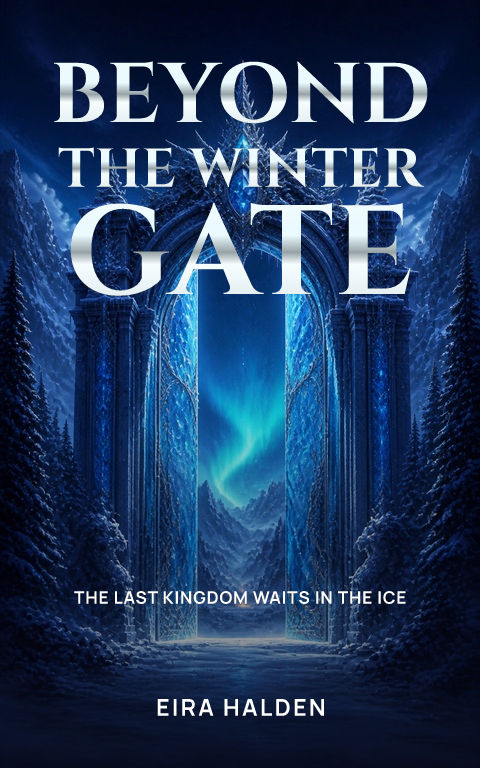
Your cover has a small space in which to make a first impression. A reader should be able to recognise the kind of story and pick out its title without opening the image. You do not need an elaborate poster or lots of decoration to do that. Start with one image and one strong title, then use these five steps to make the cover feel like your story.
1. Start with your story, not a blank design
Write the exact title, author or pen name, and genre. Add one sentence about the story's mood: a forbidden romance in a royal court, a tense mystery in a small town, or a warm comedy about second chances. This gives you a useful way to choose between images. In Coverfairy, enter your book details and choose a sample to begin. You can change the words and artwork after opening it.
2. Choose one image that tells the reader what to expect
Look for an image with a clear subject and some open space for the title. For a character-led story, keep text away from the character's face. For a fantasy, a striking object or landscape can establish the world without showing every character. Use a library image, upload artwork you have permission to use, or create a new AI image after signing in. A new image costs an artwork credit; editing the title or font does not.
3. Make the title the easiest thing to read
Type your real title before choosing a font. A decorative font may look beautiful in a short sample and become crowded with a longer name. Preview a few styles, then check the complete words. Keep the author smaller than the title and leave an optional subtitle off if it adds clutter. If the letters blend into the image, try a lighter or darker text colour, a subtle shadow, or a layout that moves the title into a quieter area.
4. Check the shape and the phone preview
Use the Wattpad preset rather than stretching a finished cover into a new shape. Coverfairy's working canvas is 512 × 800, with a height 1.5625 times its width. The size guide includes a larger working size and a title-safe preview. Then shrink the complete cover to a small thumbnail. Ask someone who has not read your story to identify the title and genre. If they struggle, simplify the text or crop before adding more effects.
5. Export the cover image, then keep the editable project
Upload a flat front-cover image, not a picture of a book standing on a desk. Coverfairy's free cover draft has a watermark; an active pass unlocks the publishing downloads. Keep the editable project so you can correct a name or change the artwork later. Check Wattpad's current upload instructions before publishing. If you also want a book reveal image for social media, make that separately in the free mockup tool.
Sources and verification
- Coverfairy's Wattpad size guide and working preset
- Wattpad Help Centre — check the current upload instructions
Requirements can change. Check the linked instructions before you publish or upload a file.
By Coverfairy Editorial · Published · Updated


